

IremboGov is Rwanda’s official online platform for applying for visas, with the standard processing time of 4 business days. Whether you are applying for a tourist visa, business visa, or the East Africa Tourist Visa, IremboGov at irembo.gov.rw is the primary digital gateway to submit your application, upload documents, and pay fees — all without visiting an embassy or queuing at the airport.
What Is IremboGov?
IremboGov is a web and USSD platform launched in 2015 that provides over 100 Rwandan government services online. For international travelers, the most relevant service is the visa application offered through the Directorate General of Immigration and Emigration (DGIE).
The platform is built by Irembo, a Rwandan technology company headquartered on KG 9 Avenue in Kigali. Since its launch, IremboGov has saved Rwandan citizens and foreigners over 40 million working hours by eliminating the need to visit government offices in person.
Key facts about IremboGov:
- Over 106 public services available online, 24/7
- Accessible via web browser at irembo.gov.rw and through USSD codes
- 45% of users pay for services online, supporting Rwanda’s cashless economy goals
- 4,000+ agent network across Rwanda assists users who need help with online services
- 80% reduction in service access time compared to in-person processing
For visa applicants, IremboGov handles the entire application lifecycle: initial submission, document upload, payment, status tracking, and visa renewal.
Who Needs to Apply for a Rwanda Visa Through IremboGov?
Not every traveler needs to apply online before arrival. Rwanda’s visa policy includes several categories:
| Category | Examples | Action Required |
|---|---|---|
| Visa-exempt (up to 30 days) | AU member states, Commonwealth, La Francophonie citizens (111+ countries) | No visa needed for stays up to 30 days |
| Visa-exempt (up to 90 days) | Angola, Bahamas, Benin, Central African Republic, Chad, Congo, DRC, Dominican Republic, Ghana, Guinea, Indonesia, Haiti, Maldives, Mali, Mauritius, Mozambique, Philippines, Sao Tome and Principe, Senegal, Seychelles, Singapore, Sierra Leone, Qatar, Saint Kitts and Nevis | No visa needed for stays up to 90 days |
| EAC member states | Burundi, Kenya, South Sudan, Tanzania, Uganda, DR Congo | Enter with national ID, stay up to 6 months |
| Visa required | US, Canada, Australia, most non-exempt nationalities | Apply via IremboGov or get visa on arrival |
Even if you qualify for visa on arrival at Kigali International Airport or land borders, applying through IremboGov beforehand saves time at immigration. You receive approval before you travel, so there is no uncertainty at the border.
If you are unsure which visa type applies to your situation, contact DGIE at [email protected] or call +250 722 17 29 74 before submitting your application.
Step 1: Access the IremboGov Platform
Open your web browser and navigate to irembo.gov.rw. The platform works on desktop, tablet, and mobile devices.
On the homepage, find the “Immigration and Emigration” category. Click on “Visa Application” to start the process.
You do not need to create an IremboGov account to apply for a visa. The platform allows both registered and non-registered users to submit applications. However, creating an account gives you these advantages:
- Track all your applications in one dashboard
- Download payment receipts at any time
- Apply for visa renewals more easily
- Access other government services with the same credentials
To create an account, you need a valid email address and phone number. The registration process takes about 2 minutes.
Step 2: Select Visa Type and Request Type
After clicking “Visa Application,” you will see a dropdown for “Request Type.” Select “Visa Application” (not “Renew Visa” — that is for extending an existing visa while already in Rwanda).
Rwanda has two main visa categories:
Transit Visas — For travelers passing through Rwanda on their way to another destination.
Visitor Visas — The most common category for tourists and business travelers, with these sub-types:
| Visa Code | Type | Duration | Fee (USD) |
|---|---|---|---|
| V1 | Holiday/Tourist | 30 days single entry | $50 |
| V1 | Holiday/Tourist | 90 days multiple entry | $70 |
| V2 | Family Visit | 30 days single entry | $50 |
| V2 | Family Visit | 90 days multiple entry | $70 |
| V5 | Conference/Meetings | 30 days single entry | $50 |
| V6 | Business Survey | 30 days single entry | $50 |
| V7 | Medical Treatment | 30 days single entry | $50 |
| V11 | East Africa Tourist Visa | 90 days multiple entry (Rwanda+Kenya+Uganda) | $100 |
| V12 | Reciprocity (US citizens only) | Up to 10 years | $160 |
For a complete breakdown of all visa fees and requirements, see our Rwanda visa fee guide.
Step 3: Enter Applicant Details
The form will ask for your personal information:
- Full name (as it appears on your passport)
- Nationality
- Date of birth
- Passport number
- Passport expiry date (must be valid for at least 6 months)
- Email address
- Phone number
You can choose to pay in United States Dollars (USD) or Rwandan Francs (RWF). The price depends on the visa type selected.
Step 4: Enter Demographic and Travel Details
After filling in your personal information, you will need to provide:
- Current country of residence
- Purpose of visit (holiday, business, family visit, conference, medical, etc.)
- Intended date of arrival in Rwanda
- Intended date of departure from Rwanda
- Port of entry (Kigali International Airport, or a land border such as Gatuna, Cyanika, Rusumo, Nemba, or Gisenyi/Rubavu)
- Collection office (automatically set based on your residence details)
The “Collection Office” field determines where you will pick up your visa if you applied for a visa on arrival type. For online applications, the e-visa is sent to your email.
Step 5: Upload Required Documents
IremboGov requires specific document uploads depending on your visa type. Prepare these files before starting your application:
| Document | Format | Max Size |
|---|---|---|
| Passport photo with white background | JPG | 500 KB |
| Copy of passport biodata page | 500 KB | |
| Application letter | 500 KB | |
| Additional supporting documents | 500 KB |
The application letter should state your purpose of travel, intended dates, and accommodation details. For business visas, include an invitation letter from a Rwandan company or organization.
For our complete checklist of required documents, visit the Rwanda visa requirements page.
Tips for uploading documents:
- Ensure your passport photo has a plain white background with all facial features clearly visible — no hats or sunglasses
- Scan your passport biodata page clearly; all text must be legible
- Keep file sizes under 500 KB by compressing images before upload
- Save documents in the correct format (JPG for photos, PDF for documents)
- Double-check that your passport number in the uploaded scan matches what you entered in the form
Step 6: Review and Submit
Before submitting, IremboGov displays a summary of all entered information. Review every field carefully:
- Verify your name matches your passport exactly
- Confirm passport number and expiry date
- Check visa type and duration are correct
- Ensure travel dates are accurate
Enter your phone number and email address for notifications, check the verification box, and click “Submit.”
If your visa type is free of charge (such as visa-exempt entries), the application is immediately sent to DGIE for processing.
If the visa requires payment, a billing number (starting with 88) is generated. Proceed to the next step.
Step 7: Pay the Visa Fee
IremboGov offers two payment methods:
Online Payment (Recommended):
- Visa or MasterCard debit/credit card
- Processed instantly through Irembo’s secure payment gateway
- Payment confirmation is immediate
Offline Payment:
- Bank of Kigali transfer
- Requires visiting a Bank of Kigali branch or using their mobile banking
- Confirmation may take 1-2 business days
After successful payment, DGIE sends a notification confirming receipt. Keep your billing number (88…) for reference. You can download payment receipts as many times as needed from your IremboGov account.
For a detailed breakdown of fees by visa type, see our guide to Rwanda visa fees.
Step 8: Track Your Application Status
Once submitted and paid, your application enters the DGIE processing queue. The official processing time is 4 business days for online applications.
Here is what happens after submission:
- Immediate: You receive a confirmation email with your application reference number
- Within 4 business days: DGIE reviews your application and documents
- Decision: You receive an email notification with the approval or any requests for additional information
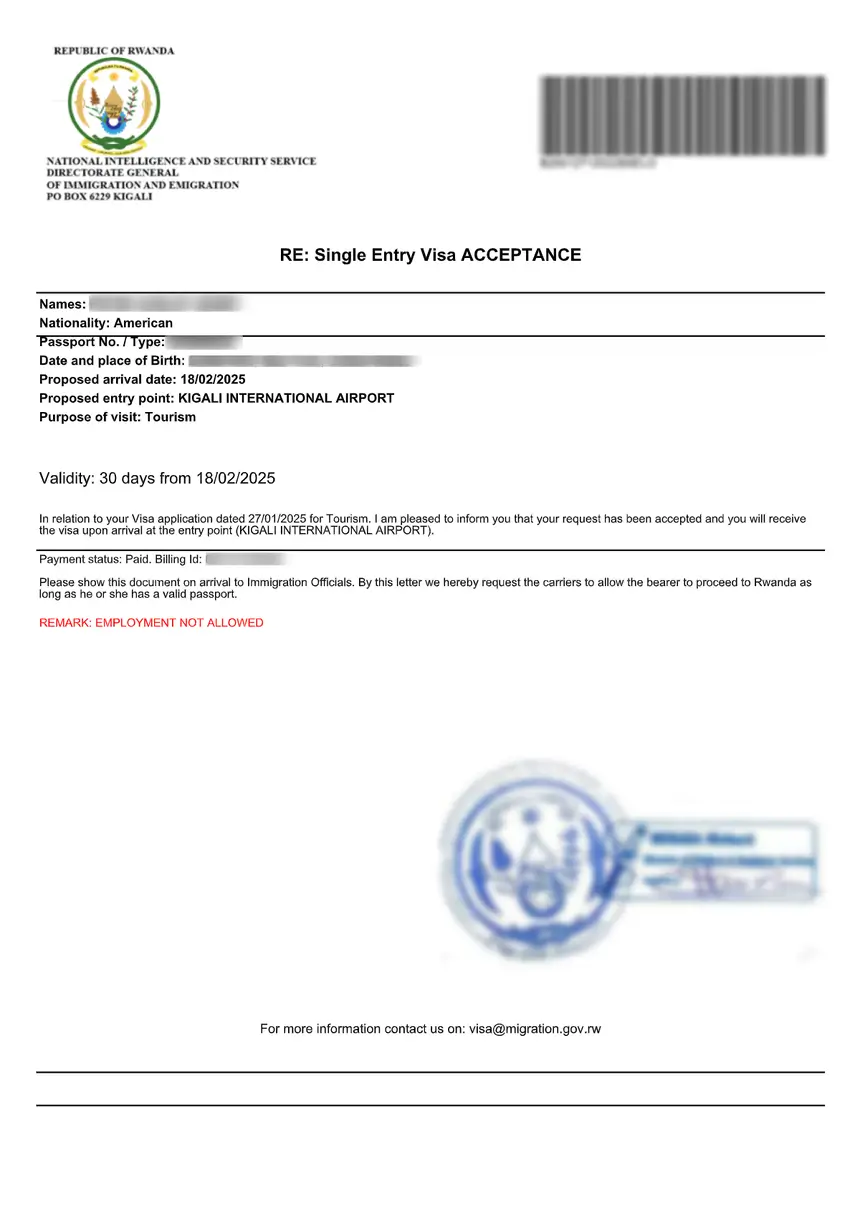
- Approved visa: The e-visa is sent to your registered email address as a PDF
If you applied for a visa on arrival, you receive your visa instantly when you visit the DGIE office at your chosen entry point.
To check your application status, log into your IremboGov account and navigate to “My Applications.” The dashboard shows all your past and current applications with their status.
For more details about processing timelines, visit our Rwanda visa processing time guide.
How to Renew a Rwanda Visa Through IremboGov
If you are already in Rwanda and need to extend your stay, do not apply for a new visa. Instead, use the “Renew Visa” service on IremboGov:
- Log into your IremboGov account
- Navigate to Immigration and Emigration
- Select “Renew Visa” (not “Visa Application”)
- Enter your current visa details
- Upload any required documents
- Submit and pay the renewal fee
The renewal process is handled by DGIE, and you should apply before your current visa expires. Contact DGIE at [email protected] or call +250 722 17 29 74 if you have questions about eligibility for renewal.
Payment Troubleshooting
Common payment issues and solutions:
Payment not reflecting after online payment:
Wait 15-30 minutes and refresh your application status. If the payment still does not appear, contact DGIE with your billing number and payment confirmation.
Billing number expired:
Billing numbers have a validity window. If yours expired, you may need to resubmit the application to generate a new billing number.
Card declined:
International cards sometimes fail due to bank security settings. Contact your bank to authorize the transaction, or try a different card. Alternatively, use the offline Bank of Kigali payment method.
Lost payment receipt:
Log into your IremboGov account and download the receipt again from your application history. Receipts can be downloaded unlimited times.
Tips for a Smooth IremboGov Visa Application
Follow these best practices to avoid delays or rejections:
- Apply at least 2 weeks before your travel date to allow for the 4-day processing time plus any buffer for document corrections
- Use a desktop or laptop for the application — the form is easier to complete on a larger screen
- Prepare all documents in advance with correct formats and sizes before starting
- Use a valid, regularly checked email address for correspondence
- Double-check passport details against your actual passport before submitting
- Save your billing number immediately after submission
- If you are unsure about visa type, contact DGIE before applying at [email protected] or +250 722 17 29 74
- Keep copies of all submitted documents for your records
For a comprehensive overview of the entire eVisa process beyond just IremboGov, read our complete Rwanda eVisa guide or our step-by-step online application guide.
FAQs About IremboGov Rwanda Visa
Do I need an IremboGov account to apply for a Rwanda visa?
No, you can apply without an account. However, creating an account lets you track applications, download receipts, and manage renewals more easily.
How long does IremboGov take to process a visa?
The official processing time is 4 business days. Visa on arrival applications are processed instantly at the entry point. Online applicants receive confirmation via email.
Can I apply for a Rwanda visa on IremboGov if I am already in Rwanda?
If you are already in Rwanda and want to extend your stay, use the “Renew Visa” service on IremboGov, not “Visa Application.” The visa application service is for people outside Rwanda.
What payment methods does IremboGov accept for visa fees?
IremboGov accepts Visa and MasterCard for online payments, and Bank of Kigali transfers for offline payments. You can pay in USD or RWF.
What documents do I need to upload on IremboGov?
You need a passport photo (JPG, 500KB max) with white background, a copy of your passport biodata page (PDF, 500KB max), and an application letter (PDF, 500KB max). Additional documents may be required depending on visa type.
Is the East Africa Tourist Visa available on IremboGov?
Yes, the East Africa Tourist Visa (V11) is available on IremboGov for $100. It covers Rwanda, Kenya, and Uganda for 90 days with multiple entries.
What should I do if my IremboGov payment fails?
Wait 15-30 minutes and check again. If the payment still does not reflect, contact DGIE at [email protected] with your billing number. You can also try a different payment method or card.
Can I download my IremboGov payment receipt again?
Yes, log into your IremboGov account and go to “My Applications.” You can download receipts as many times as needed.
How do I contact IremboGov support for visa issues?
For visa-specific questions, contact DGIE at [email protected] or call +250 722 17 29 74. For IremboGov platform issues, visit support.irembo.gov.rw or contact Irembo directly.
Do US citizens need to use IremboGov for Rwanda visas?
US citizens need a visa for Rwanda and can apply through IremboGov for standard visas (V1, V2 at $50-$70). The V12 reciprocity visa ($160, up to 10 years) is only available through the Embassy of Rwanda in Washington D.C., not on IremboGov.